Budgeting within a small business is more complex than it looks. Receipts are stacked somewhere on top of the desk; invoices are stored in three folders and attempts to trace expenses are still in a spreadsheet which does not work quite well. At some point most owners begin searching for free accounting software because paying for monthly tools too early feels unnecessary. Free tools exist, though they rarely look the same. Some are simple and stripped down; others quietly include features that normally cost money. Knowing what they actually do matters more than chasing the first free option you see online.
When Basic Bookkeeping Starts Feeling Unmanageable
A lot of business owners delay accounting systems for months or even years. It usually begins with manual tracking. Someone writes down income in a notebook or records expenses in Excel because it feels simple at first. Problems start when transactions grow. Bank statements become harder to reconcile, invoices get missed, and tax preparation turns into a long weekend filled with confusion. This is usually when people search for free bookkeeping software just to get their numbers organized.
Tools That Handle Everyday Financial Tasks
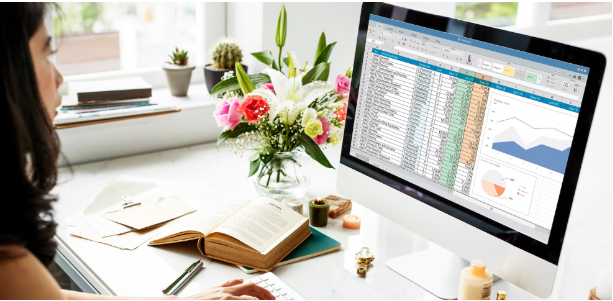
Not every accounting platform needs complex dashboards or financial forecasting modules. Most small companies only require a few consistent functions every month. Recording income, tracking expenses, sending invoices, and reviewing reports often covers the basics. Some free accounting software platforms handle these tasks well. They allow users to connect bank accounts, categorize transactions automatically, and generate simple reports like profit and loss statements. These features help business owners see their numbers without building complicated spreadsheets manually.
Limitations People Usually Discover Later
Free tools are attractive, but they tend to come with limitations that manifest after frequent use. There are platforms where you are restricted on the number of invoices to send within a month. Others are limiting users, reports, or integrations with payment gateways. Some free accounting software versions also remove features like inventory tracking or payroll support. That does not make them useless. It simply means the tool fits smaller businesses better than companies with complicated financial operations.
Cloud Systems That Reduce Manual Work
The accounting platforms of the modern world are fully web-based rather than running desktop software. Cloud systems provide security to the storage of financial data and still allow business owners to access reports using laptops, tablets, and even phones even when they travel. Many free accounting software solutions now use this approach. They automatically sync bank transactions, organize expenses, and update reports in real time. This removes a surprising amount of manual entry that used to slow down bookkeeping processes years ago.
Why Some Businesses Stay With Free Versions
There is an assumption that every company eventually upgrades to paid accounting platforms. That does happen, but not always immediately. Freelancers, consultants, and small service businesses sometimes run their finances comfortably using free accounting software for several years. Their transaction volume stays manageable, expenses remain predictable, and reporting needs stay basic. When financial operations stay simple, a free tool continues working without adding unnecessary monthly costs.
Things Worth Checking Before Choosing Any Tool
Not all platforms will be suitable for the same type of business. There are those that are more effective with the freelancers and those that are effective with the small retailers or online stores. Confirming some features at an initial stage saves the headache in the future. Look for transaction limits, invoice capabilities, and report availability inside the free accounting software plan. Also review integration options with payment gateways or banking systems. These small details often determine whether the software remains useful long-term.
Security and Data Access Still Matter
Free products sometimes raise questions about security or reliability. Basic protection measures are valuable even in free plans because accounting platforms deal with sensitive financial data. Established vendors of free accounting software typically offer encrypted connections, frequent backups, and limited access privileges. These systems ensure that financial records are safe without the need to restrict the access of such records by several users, such as bookkeepers or accountants.
Conclusion
Small businesses that are still developing can more easily organize their finances using free accounting software. These tools make bookkeeping easy, like monitoring expenses, payment records, and making simple kinds of reports without incurring additional expenses at the start.
There are restrictions to them, particularly when it comes to the more advanced features or integrations, so a business must consider what the free plan entails before making a commitment to a single platform. Nevertheless, free accounting systems offer a convenient solution to the problems of freelancers, startups, and those companies that provide services but have intermediate transactions and need to remain financially clear and keep their records tidy until the company evolves further.
